
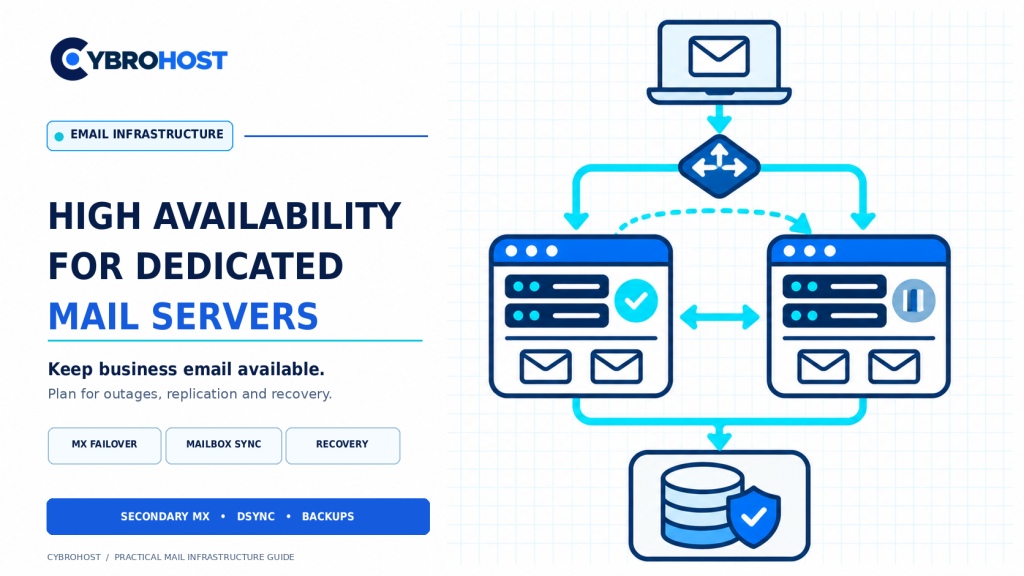
High availability for dedicated mail servers means preparing for hardware, network, and software failures before they interrupt business email. A second server can receive messages or host replicated mailboxes, but neither alone guarantees uninterrupted access.
High Availability for Dedicated Mail Servers: What to Protect
| Mail function | Protection approach |
|---|---|
| Incoming SMTP | Secondary MX and queued forwarding |
| Mailbox access | Replicated storage and controlled service failover |
| Outgoing alerts | Alternate authenticated relay with tested routing |
| Disaster recovery | Independent backups and documented restores |
A backup MX queues incoming messages; it does not provide IMAP access.
1. Identify Failure Points and Recovery Targets
Map your servers, DNS, storage, queues, and authentication service. Define your recovery time objective (RTO): how long email may be unavailable. Define your recovery point objective (RPO): how much recent mailbox data you could lose. Avoid unrealistic zero-downtime promises.
2. Add a Secondary MX for Incoming Mail
Publish a primary MX with a lower preference number and a secondary MX with a higher one. Configure the secondary Postfix server to accept only your domains and valid recipients, queue messages safely, and forward them to the primary when it returns. Monitor queued mail and prevent open relaying.
Remote senders may retry instead; receiving mail can still be delayed.
3. Replicate Mailboxes and Account Data
For Postfix and Dovecot, evaluate Dovecot dsync replication between a matched server pair. Use protected connections and synchronize accounts, permissions, and configuration.
Replication can be asynchronous, so the standby may lag behind. The official Dovecot replication guide describes pair-based replication and its limitations. Check your installed version and avoid conflicting writes.
4. Design a Safe Switchover
Use health checks and a controlled process to move IMAP, submission, and webmail traffic to the standby. Virtual IPs, load balancers, and DNS changes have different requirements. Test client reconnections and prevent split-brain writes.
If outbound email uses a different IP after failover, verify PTR/rDNS, SPF authorization, DKIM signing, and provider SMTP permissions first.
5. Keep Separate, Recoverable Backups
Replication can copy accidental deletion or corrupted data. Maintain versioned off-server backups of mailboxes, databases, keys, and configurations. Test recovery to an isolated server.
Compare CybroHost dedicated server configurations for primary and standby hardware. Confirm connectivity and SMTP permissions.
6. Practice Failure and Recovery Drills
Simulate a stopped mail service, unreachable server, and failed disk. Verify queues, mailbox access, replication lag, and return to primary. Alert on failed replication, disk pressure, and delivery delays.
FAQs
Does a backup MX provide full email high availability?
No. It can hold inbound mail, but users need a working mailbox service to read messages.
Is Dovecot replication the same as backup?
No. Replication improves availability; independent snapshots and tested backups provide recovery from deletion or corruption.
Can failover be completely seamless?
Not always. Client reconnections, DNS caching, replication delays, and sender retries can cause brief interruptions.
Final Recommendation
Design for incoming delivery, mailbox access, and recovery separately. Start with backups and a secondary MX; add replicated mailbox failover when justified.
