
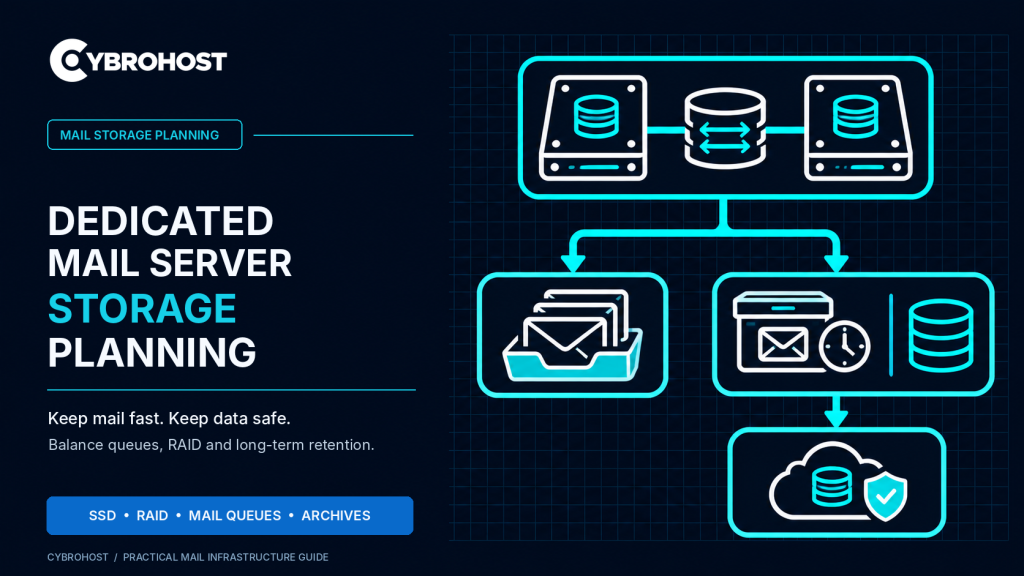
Dedicated mail server storage needs more planning than choosing the largest SSD. Business mail servers handle active mailboxes, temporary delivery queues, historical messages, and backups. Each has different speed and reliability requirements. A good storage design keeps these workloads manageable without risking lost messages or unnecessary hardware costs.
Dedicated Mail Server Storage: Four Different Jobs
| Storage workload | Main requirement | Practical approach |
|---|---|---|
| Active mailboxes | Fast searches and IMAP access | Enterprise SSD or NVMe |
| SMTP mail queues | Reliable, low-latency writes | Local SSD with free-space alerts |
| Email archives | Retention and retrieval | Separate protected storage |
| Backups | Recovery after data loss | Independent off-server copies |
These are distinct functions. An archive helps retrieve historical correspondence, while a backup restores data after deletion or failure. Neither replaces the other.
SSD vs NVMe for Mailboxes and Indexes
Busy mailboxes generate many small read and write operations. SSD storage helps, while NVMe may reduce latency further when multiple users search, synchronize, or move messages simultaneously. Measure disk response time and IOPS before paying for faster drives.
Dovecot’s mailbox formats also use index files to accelerate access. Some formats, including mdbox, rely on indexes that must be preserved during backup and recovery. Choose storage based on the mail software’s actual format and activity.
RAID Protects Availability, Not Your Backups
RAID 1 mirrors data across two drives. Two 4 TB drives therefore provide roughly 4 TB of raw mirrored capacity before formatting. RAID 10 combines mirroring and striping, making it useful for workloads needing redundant storage with more parallel I/O.
Neither arrangement protects against accidental deletion, ransomware, or serious configuration mistakes. Monitor RAID health and replace failed drives promptly. Keep encrypted backups outside the dedicated server and test restoration regularly.
Leave Room for Postfix Mail Queues
Postfix holds messages while trying to deliver them. Temporary recipient-server failures can create a growing deferred queue, even when the SSD is fast. Reserve space for unusually large messages, attachments, retry activity, and logs.
Inspect the queue with:
sudo postqueue -p
qshape deferred
Use qshape where available. The official Postfix queue analysis guide explains how message age and destination reveal delivery bottlenecks. Never purge queued business messages simply to reclaim space without investigating why they are delayed.
Plan Archiving, Retention and Capacity
Estimate storage from actual mailbox usage. For example, 250 mailboxes averaging 8 GB contain 2 TB of messages. Adding 25% working headroom gives about 2.5 TB usable space, before archives, backups, RAID overhead, and future growth.
Set a documented retention policy based on your business and legal requirements. Protect archives with encryption, access controls, search capabilities, and restore tests. Keep archive retention separate from everyday mailbox quotas.
Compare CybroHost dedicated servers by drive type, usable capacity, redundancy options, and available expansion before selecting hardware.
FAQs
Is NVMe necessary for every mail server?
No. Enterprise SSDs often work well for moderate usage. Benchmark IMAP latency and concurrent activity first.
Does RAID 1 mean my email is backed up?
No. RAID protects against certain drive failures; an independent, recoverable backup protects against data loss.
Should mail archives share the Postfix queue disk?
Prefer separate capacity planning and storage where practical. Queue delays should not exhaust the space needed for retained messages.
Final Recommendation
Use SSD or NVMe for active email, RAID for drive redundancy, adequate queue headroom, and separate archives and backups. Monitor disk health and test recovery before storage becomes critical.
