
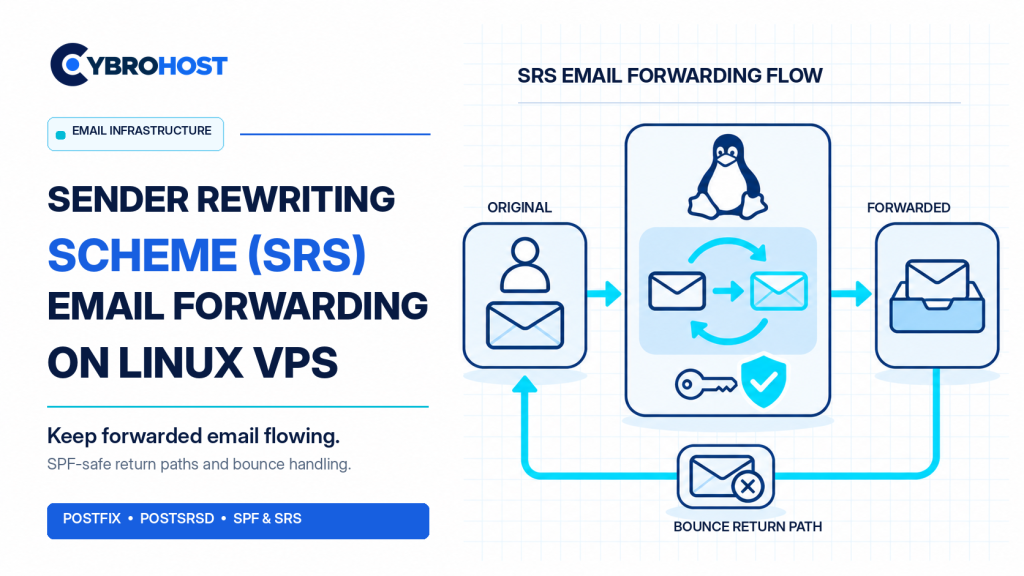
Sender Rewriting Scheme (SRS) helps a Linux VPS forward email without causing avoidable SPF failures. When a forwarding server sends someone else’s message onward, the final recipient sees the forwarder’s IP, not the original sending server. SRS fixes this mismatch by changing the SMTP envelope sender while preserving the visible From address.
Why Does Email Forwarding Need SRS?
SPF checks whether the sending IP is authorized for the envelope sender’s domain. A normal forwarder usually is not authorized by the original domain, so SPF may fail. SRS replaces the return-path address with a temporary address at a domain you control. It also lets delivery failures travel back to the original sender.
Important: SRS does not repair DMARC alignment by itself. The original DKIM signature should remain valid, and ARC may help receiving providers assess forwarded mail.
Configure Sender Rewriting Scheme on a Linux VPS
1. Prepare Postfix and a Forwarding Domain
Start with a working Postfix installation and an approved forwarding rule. Use a domain such as forward.example.com for rewritten return paths. Give it valid DNS, an MX route back to your VPS, and SPF authorization for its outbound IP. Keep your mail server closed to unauthorized relaying.
CybroHost SMTP VPS Hosting offers Linux root access, port 25, and PTR/rDNS control for self-managed mail setups.
2. Install PostSRSd and Identify Its Version
On Ubuntu, install the package and check the installed release:
sudo apt update
sudo apt install postsrsd -y
dpkg-query -W postsrsd
This matters because PostSRSd 1.x uses TCP maps, while 2.x uses socket maps. Ubuntu 24.04 packages version 1.x; newer distributions may differ.
3. Configure the Rewriting Domain
For a typical 1.x installation, edit /etc/default/postsrsd and check settings like these:
SRS_DOMAIN=forward.example.com
SRS_EXCLUDE_DOMAINS=example.com,forward.example.com
SRS_SECRET=/etc/postsrsd.secret
Keep the secret private and preserve it across restarts and migrations. Exclude domains you originate locally so ordinary outgoing messages are not rewritten unnecessarily.
4. Connect SRS to Postfix
For PostSRSd 1.x, configure the following in /etc/postfix/main.cf:
sender_canonical_maps = tcp:127.0.0.1:10001
sender_canonical_classes = envelope_sender
recipient_canonical_maps = tcp:127.0.0.1:10002
recipient_canonical_classes = envelope_recipient, header_recipient
For PostSRSd 2.x, use its documented socketmap:unix:srs:forward and socketmap:unix:srs:reverse mappings instead. Follow the official PostSRSd setup guide for the matching configuration and socket path. Do not mix 1.x and 2.x syntax.
5. Restart Services and Test Forwarding
Run sudo postfix check, then restart PostSRSd and reload Postfix. Forward a permission-based test email to another domain. Inspect the recipient’s headers: the Return-Path should contain an SRS0 address, while the visible From address remains unchanged.
6. Verify Bounces and DMARC
Send a controlled test to an invalid destination. Confirm that the SRS address reverses correctly and the delivery failure reaches the original sender. Check SPF, DKIM, and DMARC results separately. Avoid modifying signed message content, which can break DKIM.
FAQs
Does SRS change the From address customers see?
No. It rewrites the SMTP envelope sender, not the visible From header.
Does SRS guarantee Gmail or Outlook delivery?
No. Reputation, DKIM, DMARC, and recipient filtering still affect delivery.
Should every SMTP VPS enable SRS?
No. It is mainly useful when forwarding other domains’ messages, not for ordinary direct sending.
Final Recommendation
Use SRS only where forwarding requires it. Check your PostSRSd version, protect the secret, test reverse bounces, and monitor authentication results after deployment.
